A clear plan for the day.
Assign work, set requirements, and use calendar views to organize tasks. Review schedule overlaps and travel conflicts before they disrupt the day.
CLEANING OPERATIONS SOFTWARE
Assign the work. Keep every conversation, photo and review connected.
One workspace for your team, tasks and spaces.
Camille MartinField team · Task owner
A clear assignment
Explore an illustrative task journey. Cleaner’s mobile app uses a 2D spatial planner.
Give each person the right view of the work. Clear responsibilities, visible progress, and review decisions kept alongside the task.
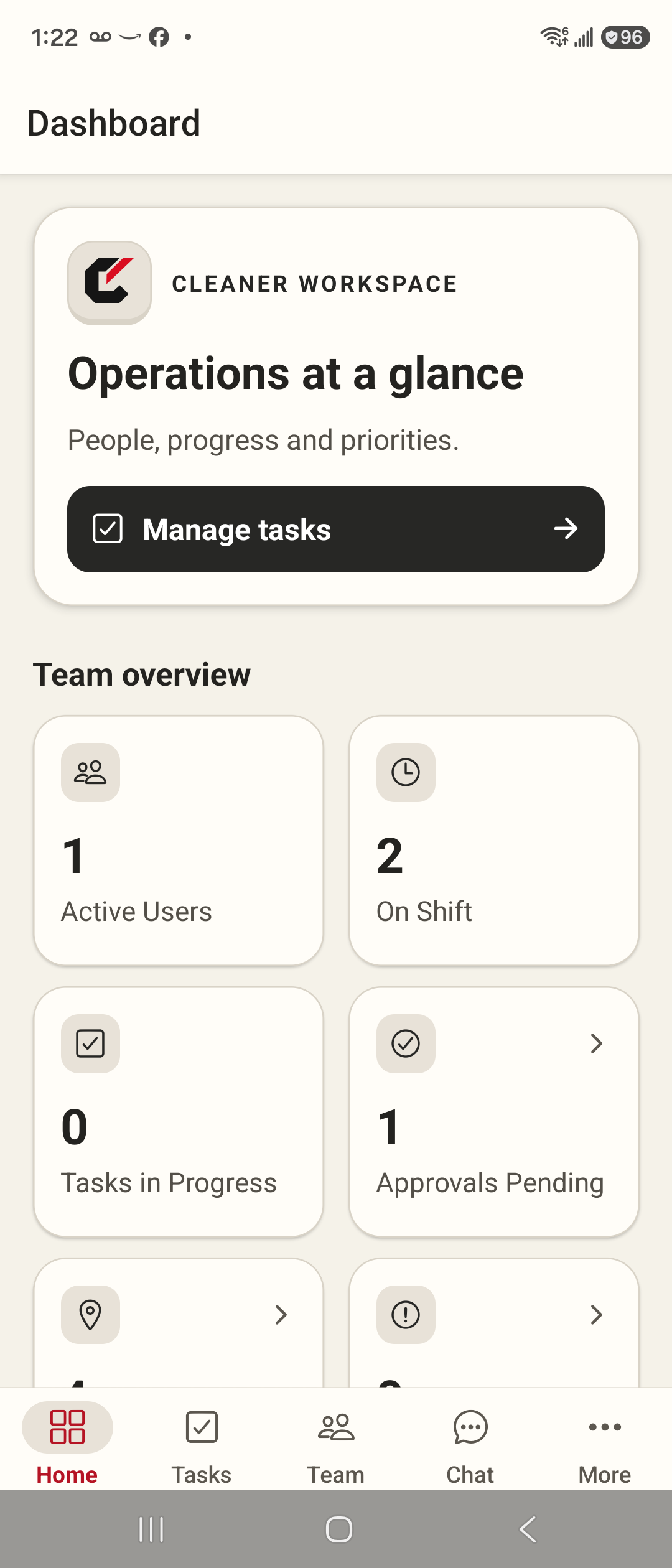
Assign tasks, review progress, and spot work waiting for approval. Keep your team and locations organized from one place.
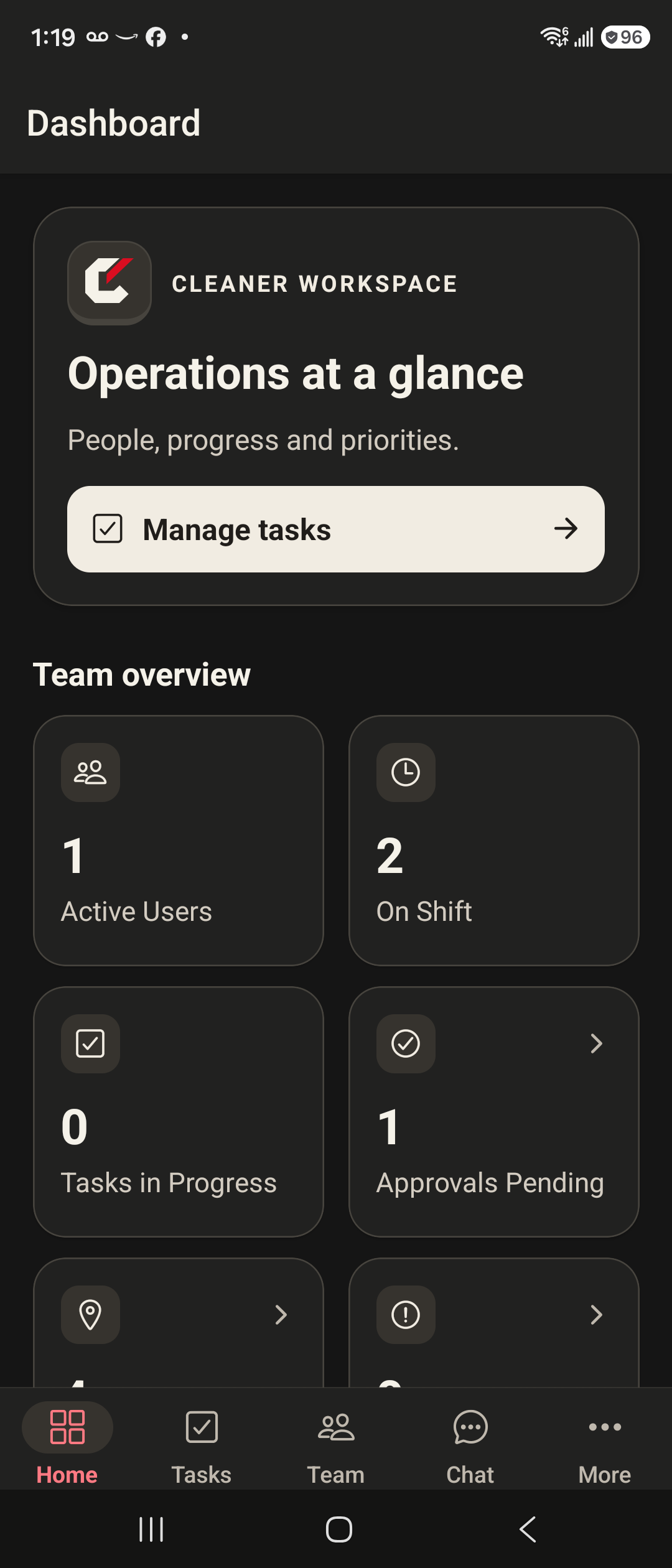
A real Cleaner dashboard, with light and dark themes. The interactive scenes on this page simplify the workflow so you can explore it.
The right task, person, and place.
Requirements, time, and photo evidence.
Record a decision and follow-up notes.
Organize locations, floors, and spaces so tasks belong somewhere specific. Give your team the context to move from “something needs doing” to exactly what, where, and who.
Assigned · Ready for the team
Interactive illustration · Cleaner’s in-app planner uses 2D floors and spaces.
A good handover shouldn’t get lost in translation. Use Cleaner in English, French, or Spanish, and read incoming team messages in your selected language.
One choice in Settings sets your interface and incoming chat translation.
Check the sender’s exact words whenever context matters.
Download the language pack once. Supported message translation then runs on the phone.
In-app text chat. Language packs need an initial internet connection.
Connect the practical details that make a cleaning operation run well, from a task’s requirements to the supplies it consumes.
Assign work, set requirements, and use calendar views to organize tasks. Review schedule overlaps and travel conflicts before they disrupt the day.
Bring checklists, task timing, completion photos, and approval requests together. Record a review decision and explain what needs attention.
Use location checks, latest team presence, and daily route views to add context to the work. See where a task belongs and plan the next stop.
Keep inventory organized and connect material requirements to task execution. Record use so the work and the supplies stay connected.
Report issues, keep relevant task evidence close, and keep review decisions visible. Give follow-up work a place to live.
Previously loaded tasks and supported queued actions help teams keep moving. Photos, sign-in, and some other actions still need a connection.
Illustrative task names and quantities. Availability depends on your organization’s setup and plan.
Compare plans and choose the tools your operation needs. You can get started without a demo. Want a closer look first? A walkthrough is always an option.
Start with a base plan. Add Chat and Inventory individually on Starter, or get both included with Pro. Your configuration stays in your control.
Add either module, both, or neither. Translation is part of Chat, with no separate per-message fee.
Need floor & space planning or team-leader tools? They are included in Pro.
10 people · 3 locations · CAD · Monthly preference
Final rates and usage allowances are still being confirmed.
Tell us what you need. We’ll confirm rates, included seats and usage allowances in your proposal. No payment is taken here.
Bring your everyday cleaning work into one shared system.
A base plan sized around the people who use it.
Included capabilities
Add Chat and Inventory as you need them.
Coordinate people, conversations, supplies and spaces together.
A base plan sized around the people who use it.
Everything in Starter, plus
Chat and Inventory have no extra module fee.
For organizations that need a tailored commercial agreement.
Discuss your team, usage and rollout requirements with us.
Build the right agreement
Capacity and commercial terms agreed with you.
Prefer to see it first? Book a personal walkthrough. It’s optional.
Compare the core packages. Advanced reporting is planned and is not included in the available-feature list below.
| Capability | Starter | Pro |
|---|---|---|
| Tasks, scheduling & daily routes | Included | Included |
| Task timing, requirements & photo evidence | Included | Included |
| GPS check-in & latest team presence | Included | Included |
| Core administration & completion review | Included | Included |
| English, French & Spanish interface | Included | Included |
| Supported cached work & queued actions | Included* | Included* |
| Chat + on-device translation | Optional add-on | Included |
| Inventory & task material use | Optional add-on | Included |
| Floor plans & spatial planner | Not included | Included |
| Team-leader tools | Core workflow | Included |
*Previously loaded tasks and supported queued actions. Sign-in, photos and some other workflows need connectivity. Enterprise inclusions and capacity are set out in your agreement.
No. Send a plan enquiry directly, or request a walkthrough first. Cleaner offers paid plans with no free trial.
Choose Starter with either, both or neither add-on, or choose Pro with both modules included. Pro also includes spatial planning and team-leader tools. Team size and locations help scope your request; they do not automatically force an upgrade. Rates and commercial limits are still being finalized.
No separate translation usage charge is part of the approved package. Translation belongs to Chat, which is optional on Starter and included in Pro. Supported text translation runs on your device after the language packs are downloaded.
Not yet. Configure a plan and send your enquiry directly from this page. We’ll confirm pricing and availability. A demo is optional; submitting does not charge you or create an account.
Cleaner is built for cleaning and facilities teams that coordinate people, tasks, and physical locations. A demo helps establish how your commercial, housekeeping, or multi-site workflow fits the current product.
Yes. You can book an optional guided demo using sample data. You can also enquire about a plan without a demo. Cleaner does not offer free trials.
The app interface supports English, French, and Spanish. Incoming in-app text messages can be translated into the user’s selected language on the device, with an option to show the original. Language packs require an initial download.
No. Previously loaded tasks and supported queued task, timer, and inventory actions provide some offline resilience. Sign-in, photos, and other workflows may require connectivity. We’ll demonstrate those boundaries so your team knows what to expect.
The animation on this page illustrates how work belongs to a location, floor, and space. Cleaner’s current in-app spatial planner is a 2D view with pins and polygons.
Cleaner focuses on operational work: task timing, execution, evidence, and review. We do not currently advertise payroll processing, client invoicing, or accounting integrations. We’ll discuss how Cleaner fits alongside your existing tools.
Select your plan to discuss account activation and installation. A demo is optional. Android is the device platform currently validated for this release.